Bathroom refit — 14 Selborne Road
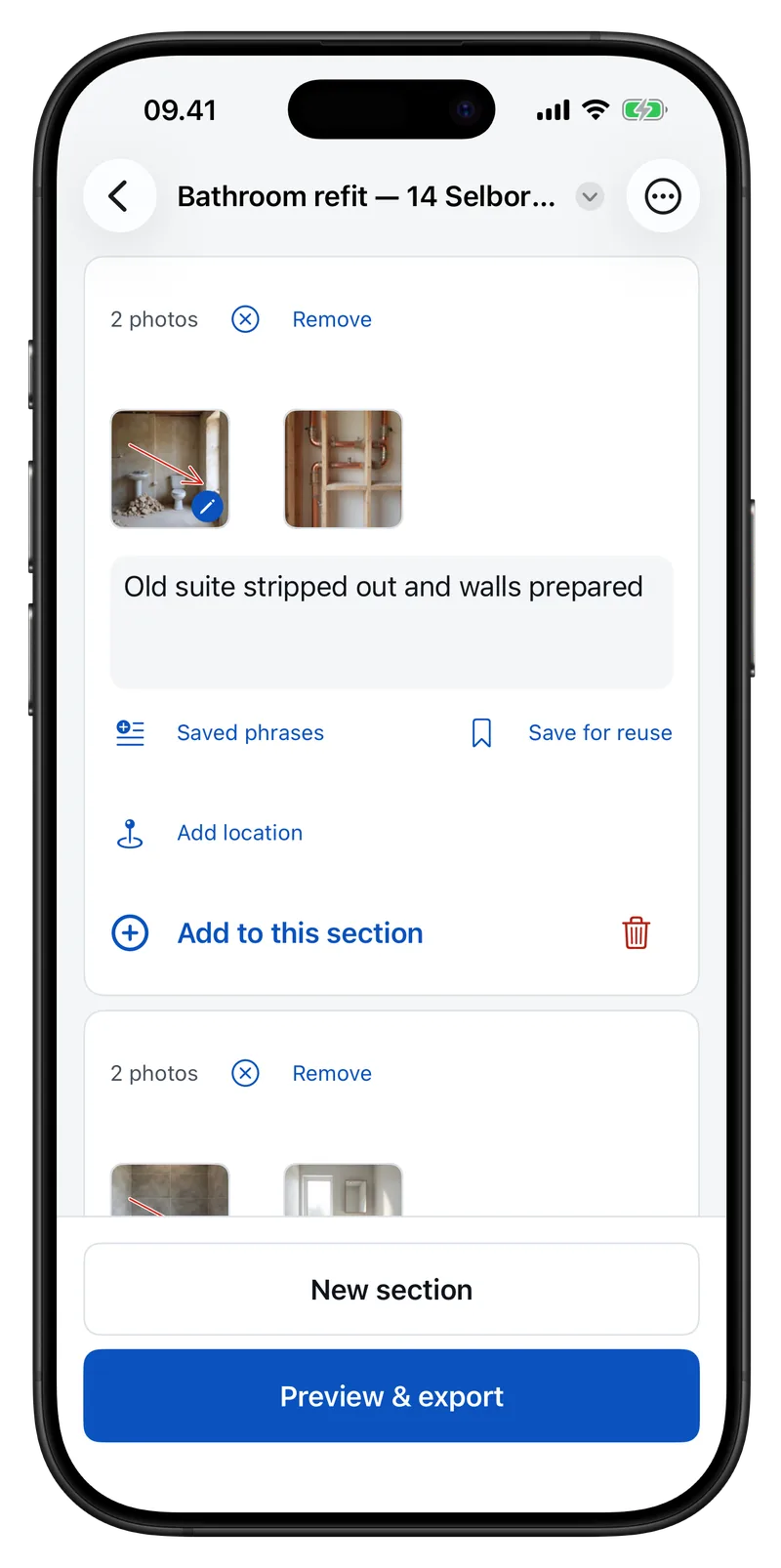
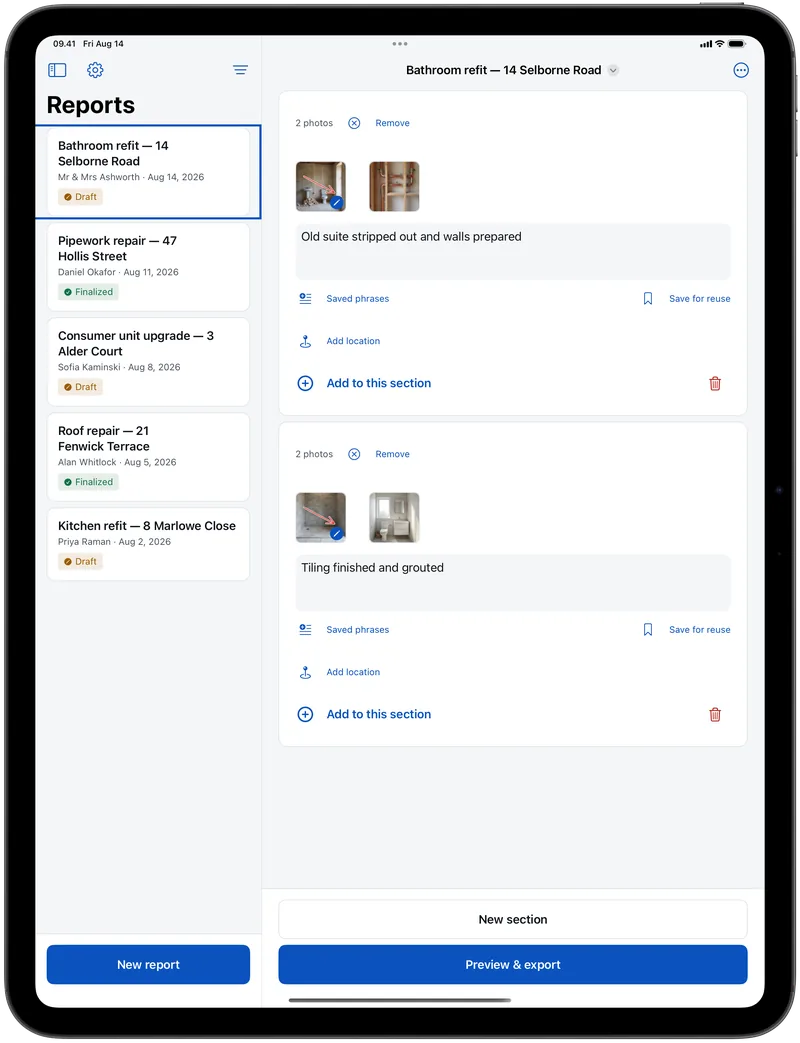
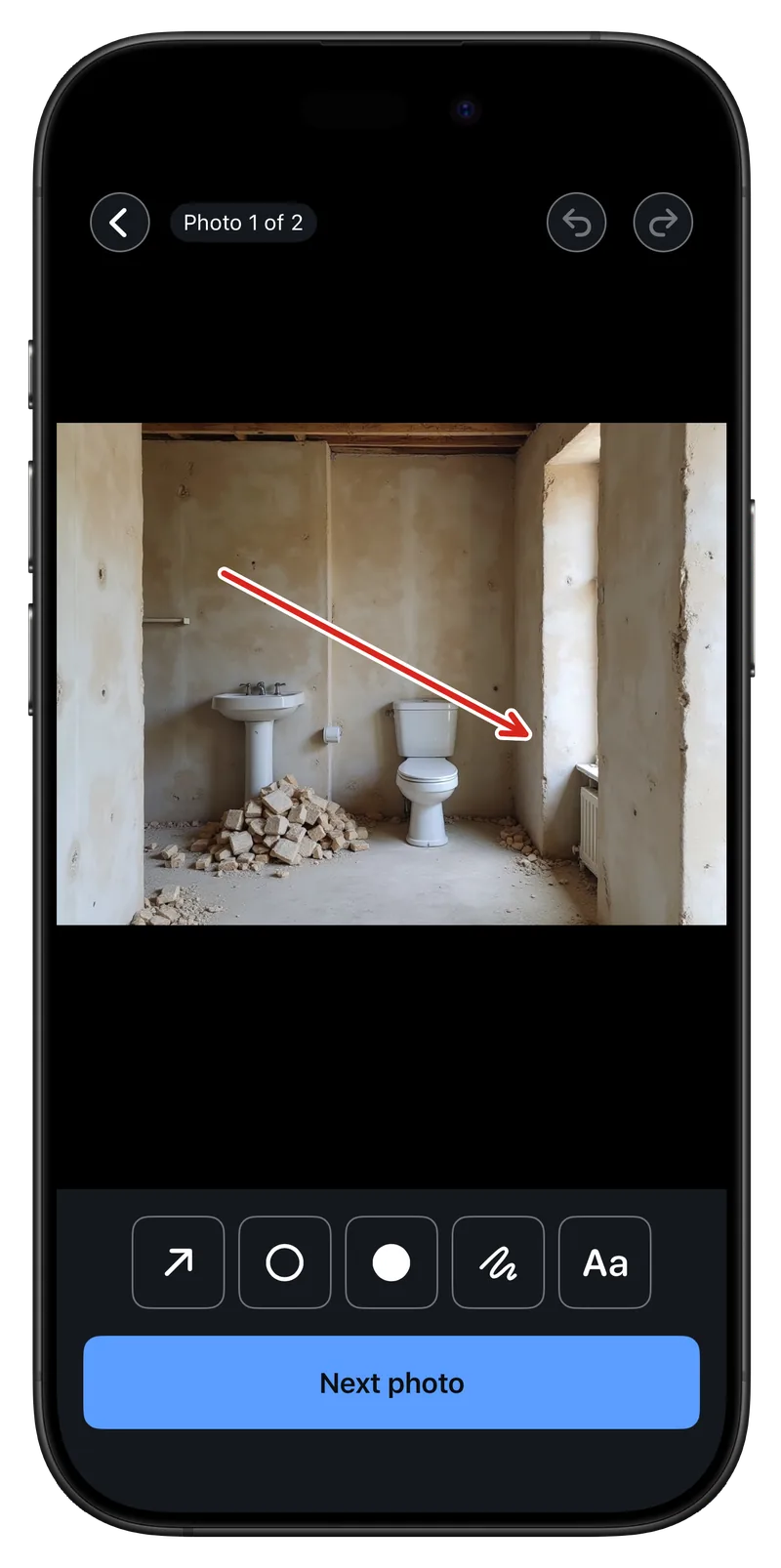
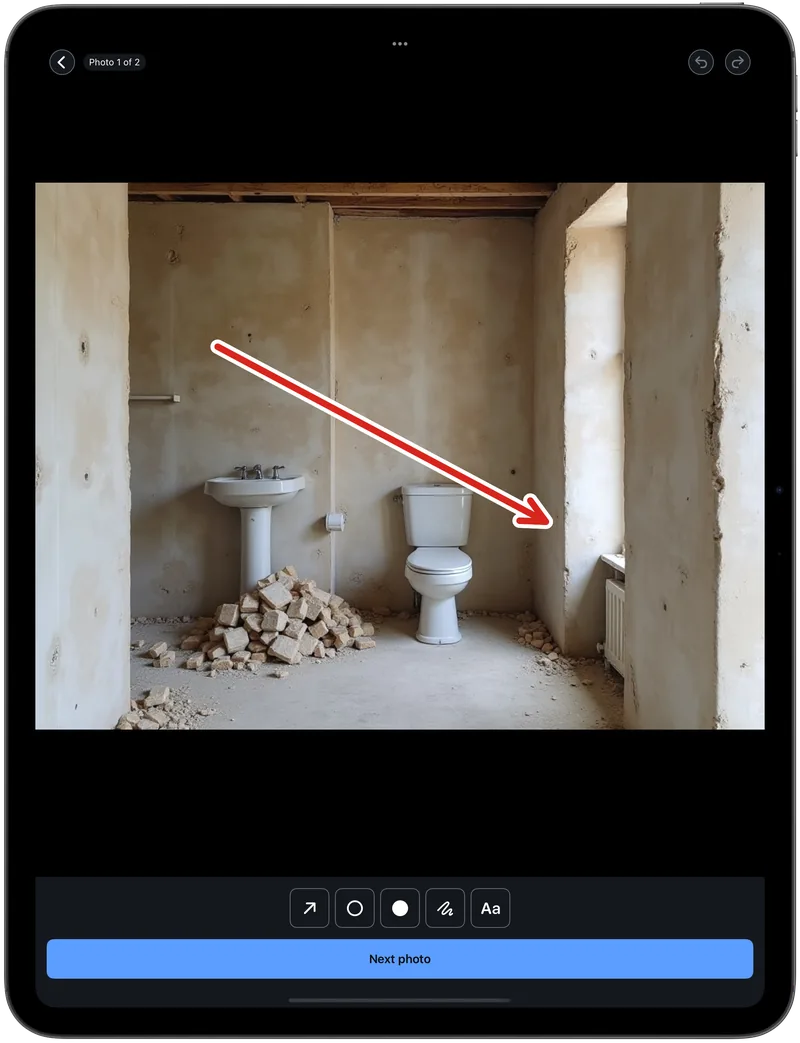
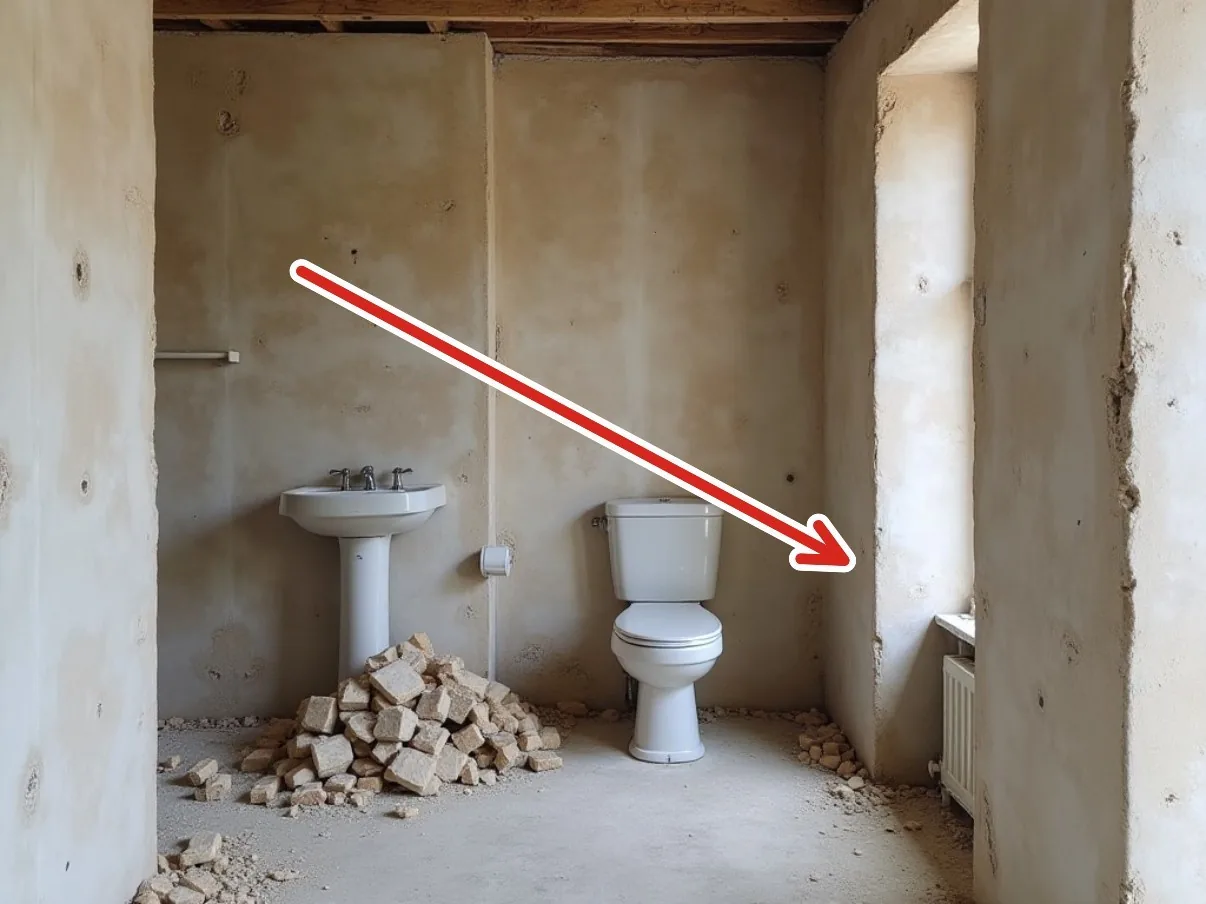
Old suite stripped out and walls prepared
[email protected]
Page 1 of 3
Photo reports for trades · iPhone & iPad
Provaro turns the photos you just took into a branded PDF — arrows on what matters, your logo at the head, your details at the foot. Made on site, in under a minute, with no signal and no account.
Bathroom refit — 14 Selborne Road
Old suite stripped out and walls prepared
Two hundred shots in the camera roll prove nothing. One document with your name on it settles the question.
The pipework is behind plaster and the tiling is finished. A dated report with the photo in it ends that conversation before it starts.
Photograph what you actually found, caption it in your own words, send it the same hour. Variations stop being an argument about memory.
Same trade, same price. The one who hands over a proper document looks like the bigger outfit — and gets recommended to the neighbour.
Three moves, in the order you already work in. Big targets, nothing to save and reopen.
Stay in the viewfinder and work through a room in one go, or pull in as many shots as you like from the camera roll. They land straight in the job, grouped into sections, each with a caption in your own words.
Arrows, circles, dots, freehand and text callouts, in six colours at a size you set — one tap from the photo you just took. Nothing is burned in: your original stays exactly as the camera saved it, and you can come back days later and add more.
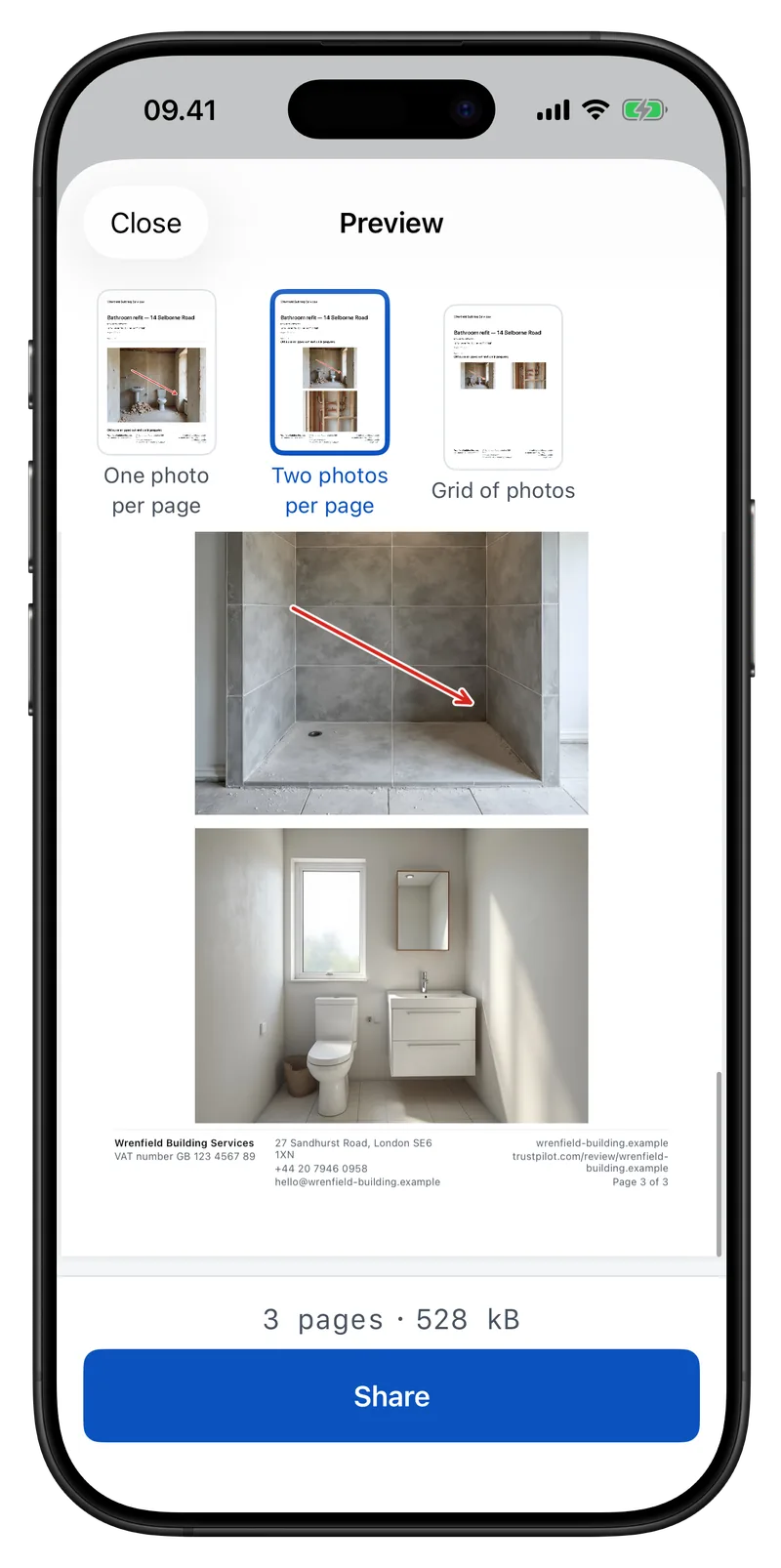
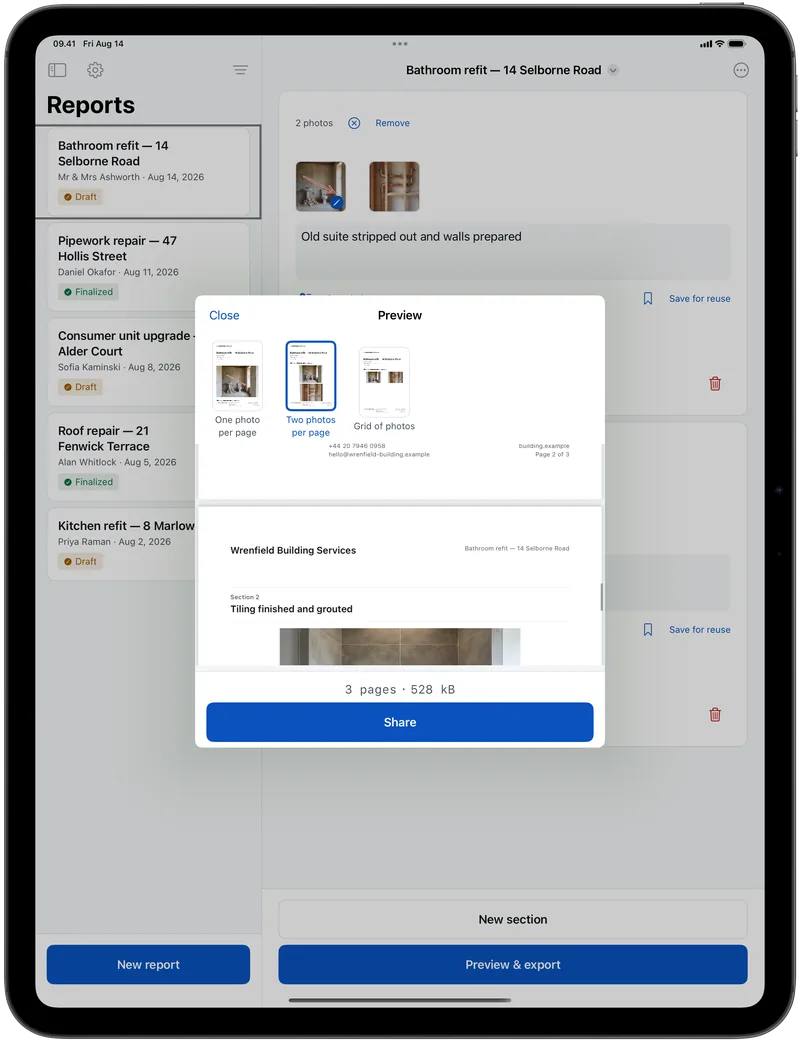
Pick one photo per page, two-up for before and after, or a grid. See the finished PDF and its file size before it goes, then send it the way the customer already talks to you — WhatsApp, iMessage, email, AirDrop or print.
Not a gallery link and not a screenshot. A PDF that carries your name, small enough to email and good enough to print.
Your letterheadLogo and company name at the head of every page.
Your wordsThe caption you typed on site, or one you saved and reuse.
The arrow you drewMarked up on the job. Your original photo is untouched.
Your details, every pageRegistration number, phone, email and your review link.
Bathroom refit — 14 Selborne Road
Old suite stripped out and walls prepared
Mark up the image you just took without saving and reopening it. Come back days later and add more.
Add the job address in a tap and the report carries a map of where you were, so the paper shows the place.
Keep the sentences you write on every job and drop one into a caption with a single tap.
One photo per page, two-up for before and after, or a grid for dense documentation. Cover page on or off.
Logo and company name at the head; registration, address, phone, email and review link along the foot of every page.
See the finished document and exactly how big the file is, so nothing surprises the customer or your data plan.
Search, sort and archive everything you have documented — find the last time you were in that house, fast.
WhatsApp, iMessage, email, AirDrop or print — whatever the customer already uses to talk to you.
With Pro, reports move through your own iCloud: start on the phone at the job, finish on the iPad in the van.
The person you are doing this job for is already in your phone — a WhatsApp thread, a number in your contacts, an email you answered this morning. The report goes straight there. Nothing to type in before you can start, and nothing to keep up to date afterwards.
When the PDF is ready you hand it to the ordinary share sheet and pick the person the way you always do, in the app you already talk to them in. Provaro passes over one file and stops: who it goes to happens over there, not in here. It never asks for your address book, so there isn’t even a permission prompt to turn down.
Put their name and address on the document if you want them printed. That is ink on that one report, not a record kept of anybody. Come back to the job months later and you find it by searching the address — filing it was doing the work.
Every step runs on the phone in your hand — capture, mark-up, the PDF, the lot. Nothing waits on an upload and no spinner stands between you and the customer at the door. When you’re back in range, send it whenever you like.
No login, no email to hand over, no trial counting down and no sales call. Your reports never leave your device unless you send them yourself, and there is no advertising identifier, no ad network and nothing sold to anybody.
Anonymous usage figures — which screens get opened, how long an export takes — tell us what to build next. Never your photos, notes, customers or addresses. And Settings has a switch to turn even that off.
Job-photo software is usually sold per user, per month, forever. This one is a purchase, like a tool.
€0Not a trial. It does not expire.
Everything you need to document a job and hand the PDF over.
€9.99One time · 99,00 kr · nothing to cancel
Bought once, yours for good — no renewal date to be surprised by.
Pro is bought inside the app.
Yes. Capture, mark-up and the PDF all happen on the phone in your hand. Nothing is uploaded and no step waits on a connection. Send the report when you’re back in range, or over the customer’s wifi at the door.
No. Free is the whole job — photograph, mark up, export, share — and it doesn’t expire. Pro is a single €9.99 payment that puts your branding on the report and turns on iCloud sync. There’s no renewal and nothing to cancel.
No. There’s no sign-up, no email to hand over and no password. Open the app and start a report.
No. There’s no customer list in Provaro, and it never asks for your address book — there isn’t even a permission prompt to turn down. You send the finished PDF through the ordinary share sheet and pick the person in the app you already talk to them in, from the contacts you already have. If you want their name and address printed on the report, you type them on that job: ink on that one document, not a record kept of anybody.
Anyone who has to show what they did: plumbers, electricians, roofers, builders, decorators, plasterers, damp and mould specialists, groundworkers, and letting agents doing property inspections.
Onto your device, and nowhere else — unless you send the report yourself. With Pro they also sync through your own iCloud account, not a server of ours. There’s no advertising identifier and no ad network in the app.
Yes. Start the report on the phone at the job and finish it on the iPad in the van. With Pro the two stay in step through your own iCloud.
English and Danish.